When it comes to handling purchases in React Native app, we’ve got two options:
- outsourcing using e.g. RevenueCat,
- implementing it ourselves using react-native-iap
The react-native-iap library provides the interfaces for interacting with App Store and Play Store. It requires you to implement:
- verifying the receipt server-side,
- handling renewals and other events (like cancellation) of Android’s subscriptions server-side using Real-time developer notifications,
- handling events other than renewals of iOS’s subscriptions server-side using App Store Server Notifications
Setting up App Store Server Notifications
- Deploy a function you want Apple to send notifications to.
- Go to App Store Connect
- Select your app
- Click App Information in the sidebar
- Scroll down to App Store Server Notifications
You can use app-store-server-library-node to handle notifications.
Setting up Real-time developer notifications
https://developer.android.com/google/play/billing/getting-ready#configure-rtdn
- Create GCP project if you don’t have one
- Create topic
- Create a Cloud Pub/Sub push subscription and grant publish rights
- Add a function that Cloud Pub/Sub will send notifications into
- Add topic name in Monetization setup in Google Play Console
Example purchase flow
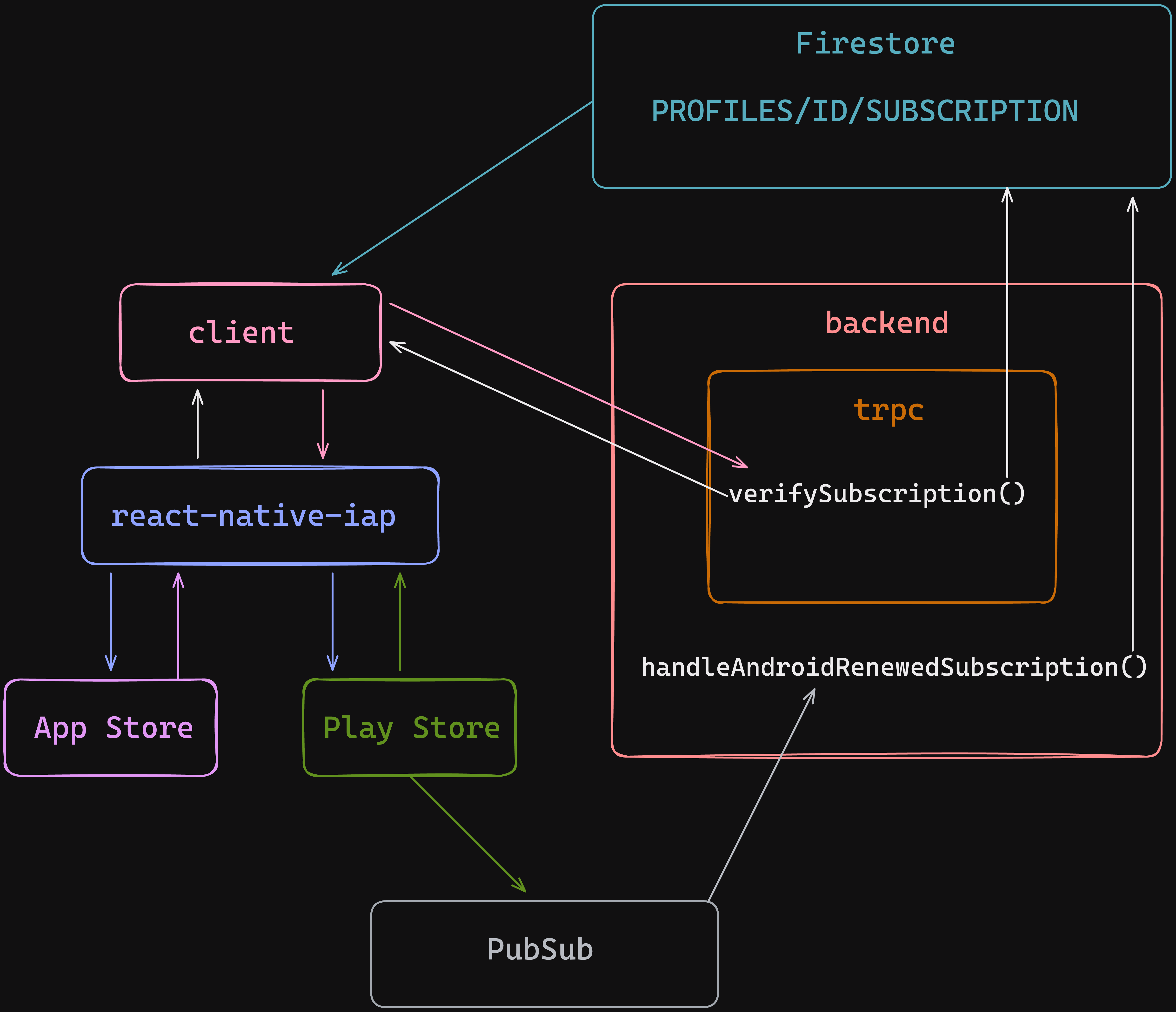
Testing renewals
RevenueCat has great articles how to test android and ios subscriptions.
To test few possible use cases in one run you can:
- Buy
- Wait for the renewal
- Cancel
- Wait 5 minutes
- Restore
- Wait for the renewal
- Refund